I still remember the days of dialing down shadow resolution and disabling ambient occlusion just to claw back three extra frames per second. In 2026, those rituals feel positively prehistoric. Nvidia’s DLSS 4, and its standout feature multi-frame generation, has turned performance tuning on its head. Instead of endless menu diving, you now click a single button and watch your frame rate quadruple. After more than a year with the technology—running on RTX 50-series cards across everything from frenetic shooters to sprawling MMOs—I can say the marketing fluff isn’t lying. Multi-frame generation is so adept at conjuring frames out of thin air that it genuinely borders on sorcery.
A Quick Primer on Frame Multiplication
Let’s cut through the technobabble. Standard DLSS, or deep-learning super sampling, already uses AI to upscale a lower-resolution render into a crisp, high-res image. Multi-frame generation takes that a step further. Instead of merely improving each rendered frame, the AI predicts and inserts completely new frames between those your GPU actually computes. On 50-series cards, you can scale this from 2x all the way to 4x—meaning for every single traditionally rendered frame, the AI can weave three more. The result is a massive leap in perceived smoothness, often with little visible penalty. Nvidia’s technical deep-dives explain the optical flow accelerators and transformer models behind it, but for players, the question is simpler: does it truly work, and where are the trade-offs?
Putting the Tech Through Its Paces
To test multi-frame generation properly, I’ve been running it on an RTX 5080 across a library of titles that now number well over 150 supported games. Recent additions like Mecha Break, Phantom Blade Zero, and Tides of Annihilation arrived with day-one integration, but I focused my torture tests on Doom: The Dark Ages, Dune: Awakening, and slightly older titles like God of War Ragnarök and Spider-Man 2 to see how the feature ages.
My weapon of choice is a monstrous 5120x2160 super ultrawide display with a 240Hz refresh rate, a panel I have owned for three years without ever truly saturating. For Doom, I set DLSS to Balanced and adjusted settings until I locked a stable 60 fps. Then I toggled 2x multi-frame generation. Instant 120 fps. One more click to 4x, and I was staring at 240 fps. The jump felt illegal—an unrepentant quadrupling of performance with no visible hit to image quality in the heat of battle. I spent hours ripping through the Slayer’s hordes, and my conclusion oscillated between awe and mild disbelief.
Yes, the technology is incredible, but it is not flawless. On 4x mode, you will occasionally spot micro-artifacts if you really hunt for them. Dense foliage can shimmer, moving objects that cross behind UI elements leave faint ghosting, and sometimes the area around the targeting reticle reveals a flicker of calculation. These defects are far more pronounced at 4x than at 2x, where they essentially vanish. In God of War Ragnarök and Spider-Man 2, the occasional artifact was easy to forgive during cinematic traversal. But in Doom, that hyper-twitchy close-quarters combat exposes the other hidden cost: latency.
The Latency Elephant in the Room
Generating frames from nothing takes a sliver of time. That sliver translates into a subtle but real increase in input lag. In a game like Doom: The Dark Ages, where reaction windows are measured in milliseconds, the controls can feel just a touch floaty. I noticed it immediately. It is not game-breaking, but it certainly dampens the appeal for competitive shooters. I would never recommend enabling 3x or 4x multi-frame generation in Marvel Rivals, Apex Legends, or any esports title where every millisecond counts. For those arenas, you are better off using DLSS upscaling alone or a conservative 2x boost.
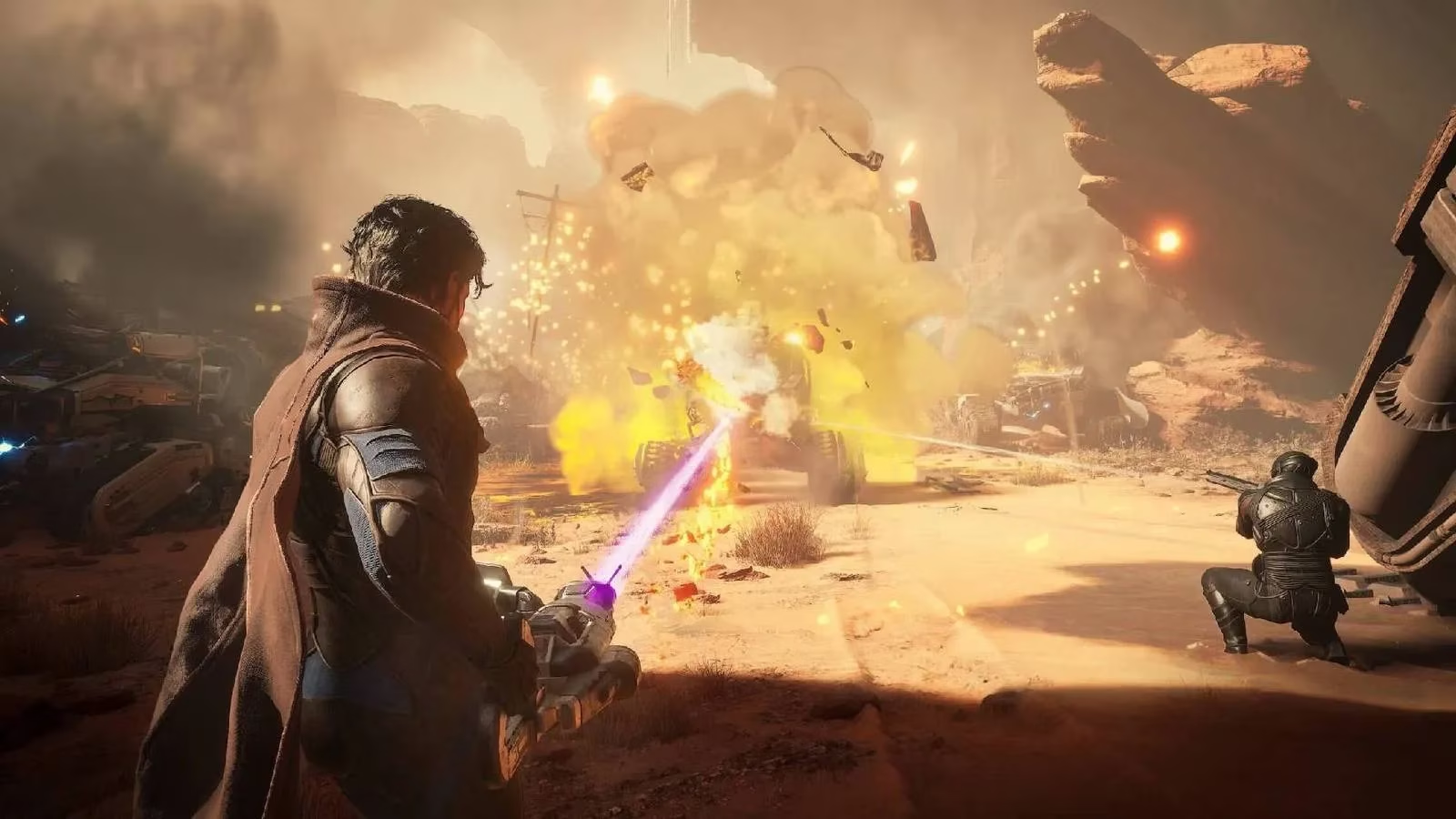
Then there’s Dune: Awakening, where the feature truly shines. The game’s vast desert landscapes, muted color palette, and slower-paced exploration make any artifact nearly imperceptible. Driving an ornithopter across the sands at 240 fps feels transformative; the scale and immersion leap upward in a way a simple frame counter cannot convey. It was, hands down, the most impressive showcase among all the games I tested.
Who Is This Really For?
When multi-frame generation first appeared, many of us assumed it would be a lifeline for lower-end hardware. The fantasy was turning a stuttering 30 fps into a buttery 120. Reality is more nuanced. Starting from such a low baseline introduces significantly more artifacting and latency because the AI has far less real information to work with. At 30 fps, even 2x generation can look wobbly. The sweet spot begins around a native 50-60 fps. For machines already hitting that threshold, the feature is a free ticket to display refresh rates once thought unreachable.
This is the real killer application: maxing out your monitor’s potential. High-refresh 120Hz, 240Hz, and even 360Hz panels are now commonplace among PC gamers, yet driving modern triple-A titles at those numbers natively remains a pipe dream. Multi-frame generation bridges that gap. After years of staring at my Samsung Odyssey G9’s spec sheet, I am finally experiencing its 240Hz ceiling—not in decade-old indie titles, but in the latest blockbusters.
Of course, the tech continues to improve. 2026 has brought refined drivers and broader game integration that have smoothed out many of the early edge cases I noticed last year. As the AI models mature and developers bake the feature into engines earlier in development, the visual compromises will only shrink. Even today, though, calling multi-frame generation a magic “make more frames” button feels accurate. It is not sorcery free of sacrifice, but the sheer amount of performance it unlocks—literally quadrupling what your rig could manage unaided—makes it one of the most impactful gaming innovations I have ever used. If you own a 50-series GPU and a high-refresh display, this is not a feature you ignore; it is the reason you bought the hardware in the first place.
For those who find themselves intrigued by multi-frame generation and the prospect of pushing their gaming setups to new heights, there are plenty of opportunities to explore these technologies further. As gamers, we are always on the lookout for ways to enhance our experiences, whether through hardware upgrades or software innovations. It's worth considering how these advancements can be matched with the latest game titles to fully appreciate the capabilities of your system.
Exploring new games that can take advantage of high-refresh rates and advanced graphics settings doesn't have to break the bank. For savvy gamers looking to expand their library without overspending, browsing the extensive selection of DealNest game deals can be a great way to discover the latest releases at unbeatable prices. Whether you're in search of the next big blockbuster or hidden gems that can truly shine with your enhanced setup, this platform offers a treasure trove of options to satisfy any gaming enthusiast's appetite.